
Modify your NVIDIA graphics card
RivaTuner is an open-source overclocking and hardware debugging software for NVIDIA video cards. Created by Alexey Nicolaychuk in 1997, it was a ground-breaking program that inspired the creation of freeware graphics card overclocking and monitoring utilities that followed. It works with NVIDIA graphics processing units (GPUs) from the Riva TNT to the GeForce 700 series, as well as the ATI/AMD Radeon series of video cards starting with the Radeon 8500 and up.
Top Recommended Alternative

What is RivaTuner used for?
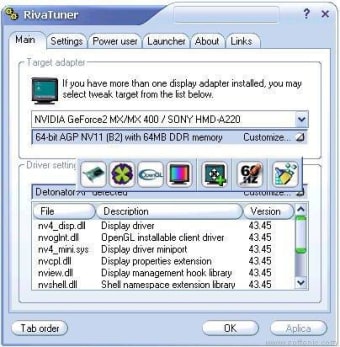
RivaTuner is a feature-rich and flexible tuning environment for NVIDIA GPU-based display adapters. It provides driver-level Direct3D or OpenGL and machine tuning solutions, as well as a modular profiling framework, which allows per-application customization, driver-level and low-level hardware access modes, and diagnostic and real-time hardware monitoring functionality.
RivaTuner's feature set is unrivaled, thanks to an integrated registry editor and patch script driver. It supports all NVIDIA display adapters, from the Riva TNT set to the latest GeForce 7 series. The program also has the most comprehensive collection of NVIDIA drivers, from the oldest Detonator 2.08 drivers family to the most recent ForceWare drivers.
In addition to full NVIDIA hardware support, RivaTuner has minimal support for display adapters based on ATI RADEON 8500 and newer ATI graphics processors. All of its features, with the exception of driver-level tuning options, are also available on supported ATI hardware. This program is a popular overclocking software tool among users of supported GPUs.
Can you use RivaTuner without Afterburner?
The Windows program provides a graphical interface for performing driver-level Direct3D and OpenGL tweaking as well as low-level hardware control. It worked with NVIDIA drivers dating back to Detonator 2.08 and up to the ForceWare versions launched in 2009. RivaTuner is currently compatible with Microsoft Windows operating systems ranging from Windows 98 to Windows 10.
The program has not been patched since 2009. Since then, it's been approved by computer hardware manufacturers and built into a variety of overclocking utilities, including MSI Afterburner, EVGA Precision X, and ASUS GPU Tweak. Many of the program's data can be displayed on the main menu, on-screen displays, or by overlapping any currently running function without triggering speed fluctuations.
It is incredibly useful because it supports hardware-accelerated H.264 encoding through Intel QuickSync, NVIDIA NVENC, and AMD VCE, as well as multisource stereo and multichannel audio capture. It also allows in-game screen capturing for client applications, with BMP, PNG, and JPG formats usable as real-time screenshots. Another fascinating aspect is the uncompressed and high-performance video encoding.
Past its prime
Rivatuner comes with a lot of the features you'd expect from a video tuning tool, making it a great addition for any gamer or person who relies on their GPU's performance. If you're a player or work in a field where your work machine needs a strong GPU, RivaTuner is the go-to program for framerate monitoring, on-screen playback, and high-performance video capture service provider for most graphics card utilities. It is, however, a dated program so it’s vulnerable to hacking and bugs.